Real Time Clock Help

Hello,
I have a config for a PV780 display and am transferring it to a new PV1100. Most of it is across and working fine but I'm having an issue with the clock.
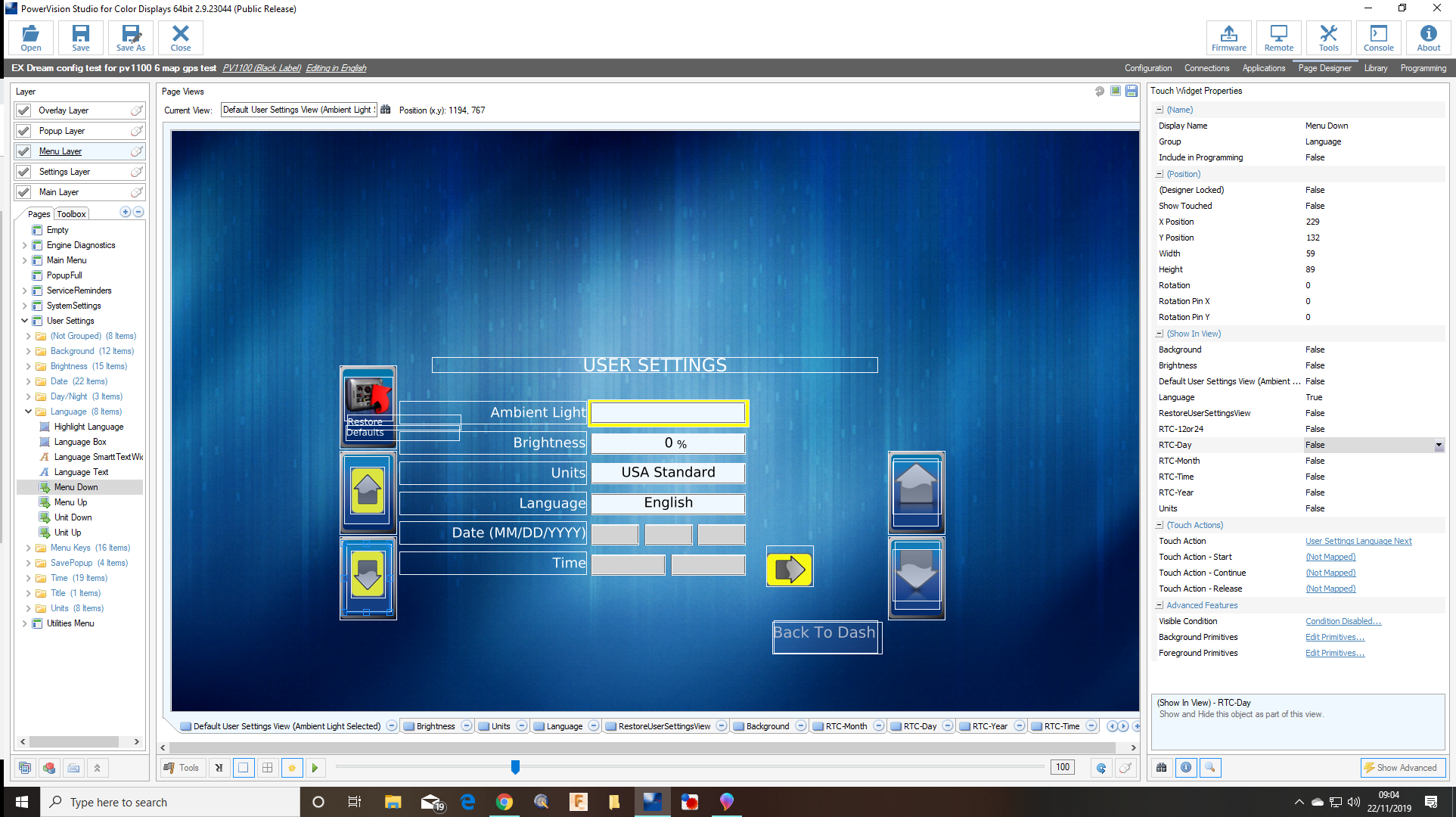
The config has an analogue clock which uses the real time clock for its data. The analogue clock is working fine but I can't set it. Every time the display is turned on it starts from 12am. I have moved across the old user settings page which is where you set the real time clock on the old config. I simply moved all the graphics to the screen centre and then went through all the pages and moved each key designation on to a new touch widget designation.
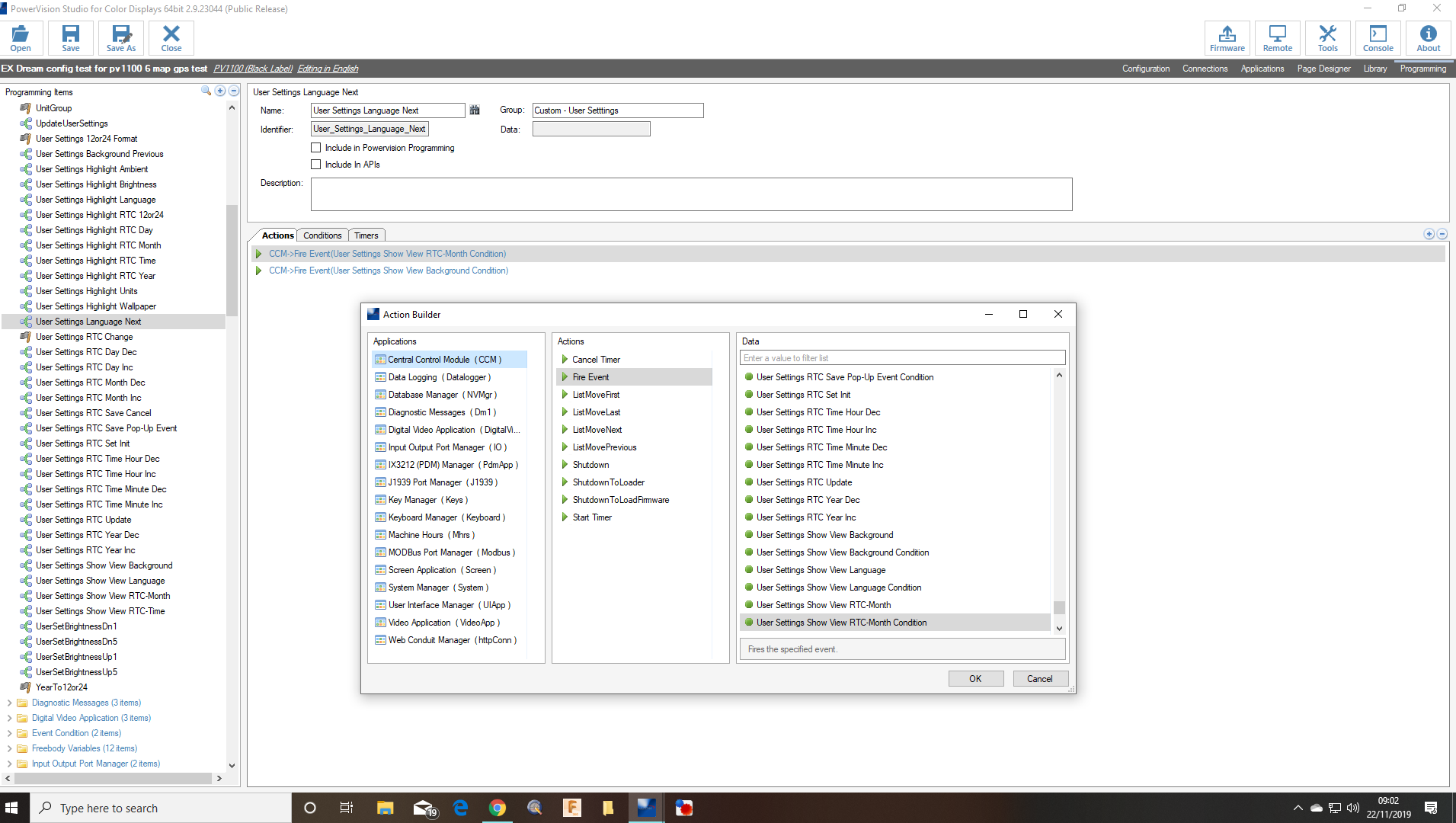
I think the issue has something to do with the navigation on to the clock set page. The first screen shot shows the settings page. When you menu down from Language it should go to Date Month. It fires the event in the second screen shot 'user event language next' but that doesn't take you to the Date month, nothing happens in fact.
If I put 'go to view RTC Month' on the menu down I can then select the month, date, time etc and change them but when I save changes which fires 'user settings RTC update' and the display restarts but it restarts at 12am, the settings were not saved.
I have a feeling this is something to do with the RTC-Month Condition event not working or being used. What is the significance of the 'Condition' part of that CCM event?
Thanks for any help
-
Official comment

Please see the following demo config for the PV1100 for setting and using the Real Time Clock. This may help answer some of you questions.
If this does not work please check the variable RealTimeClock.IsAvailable under the System Manager folder in programming. If this variable is 1 when on the display, the RTC is populated and should be functional.
Comment actions -
I had forgotten about something I had done quite early on. The grey boxes have a visible condition on them that is for the variable 'RealTimeClock .IsAvaialbe'. These don't disappear as they do on the PV780 when you enter this menu so I just took off the visible condition to see the text gauges. Does this suggest there is no RTC available?
Can anyone tell me if the PV1100 does have a real time clock and if it does whether it would be compatible with all the old programming for a PV780 that I just carried across from an old config.
Thanks
John
Please sign in to leave a comment.
Comments
2 comments