Freeform CAN message to variable

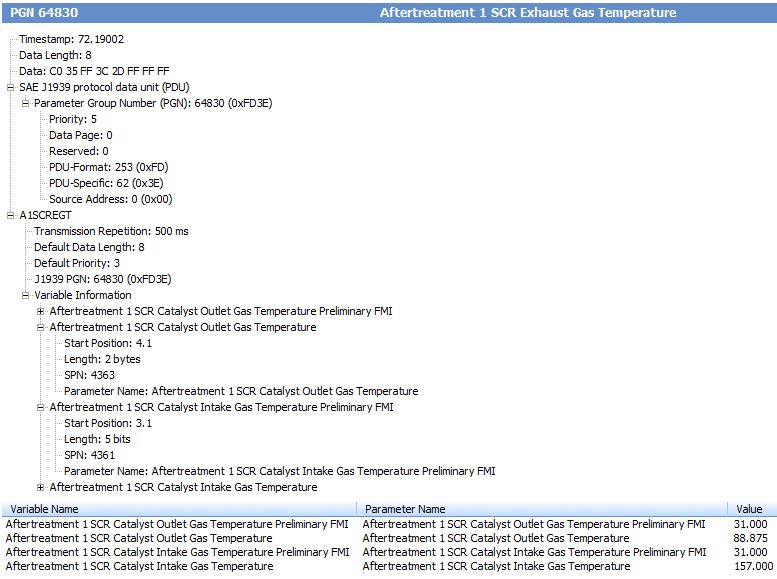
My customer wants me to display the SCR inlet/outlet temperatures on a Tier4 final engine with a Regen unit. I took a CAN network recording of the engine and captured the A1SCREGT packet that contains these temperatures. In PowerVison Config Studio 2.8 I don’t see this J1939 PGN(64830) as an option from all mapped and non mapped variables. In a situation would you then use the communications Port > Freeform message to map these temperatures to variables?
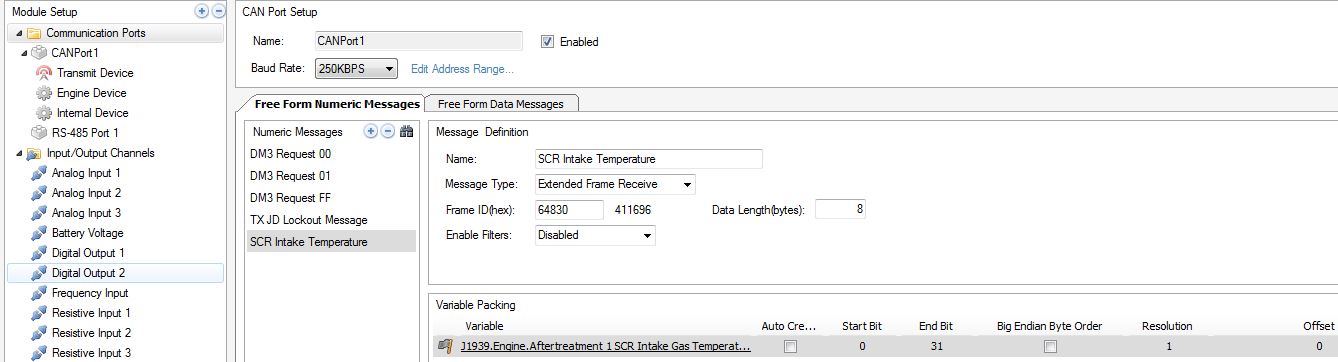
I checked the tutorials section and there isn’t much on using the Freeform message. With the details of the A1SCREGT packet below, how would I setup the free form message in Power Vision?

Best Regards,
Tyler
-
Hi Mario,
Thank-you for recognizing that I had the wrong PID and that it needed to be in Hex. That’s the first step to getting useful data on a freeform message.
I then mapped the four variables that are being transmitted in this packet according to the start position and length. So if I understand this correctly for example the “Aftertreatment 1 SCR Catalyst intake gas temperature” has a start position of 3.1 which would be the first bit of the third byte. With a length of 5 bits this would map across bits 16-20. When I replay the engine recording I get the expected value displaying on my PV380 screen. Below are screen shots for reference.
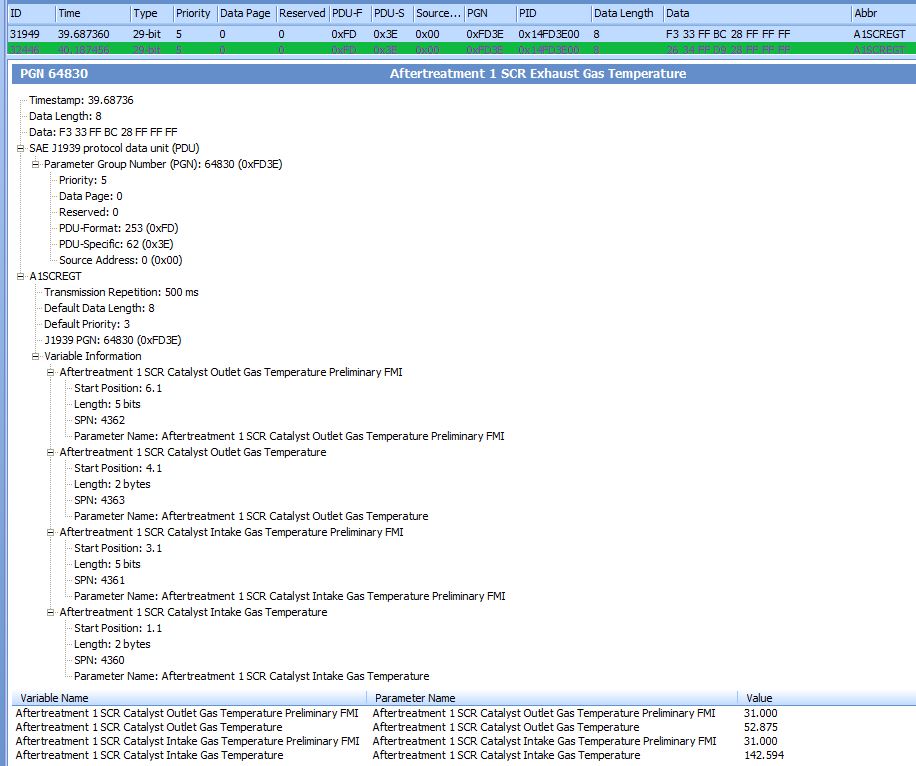
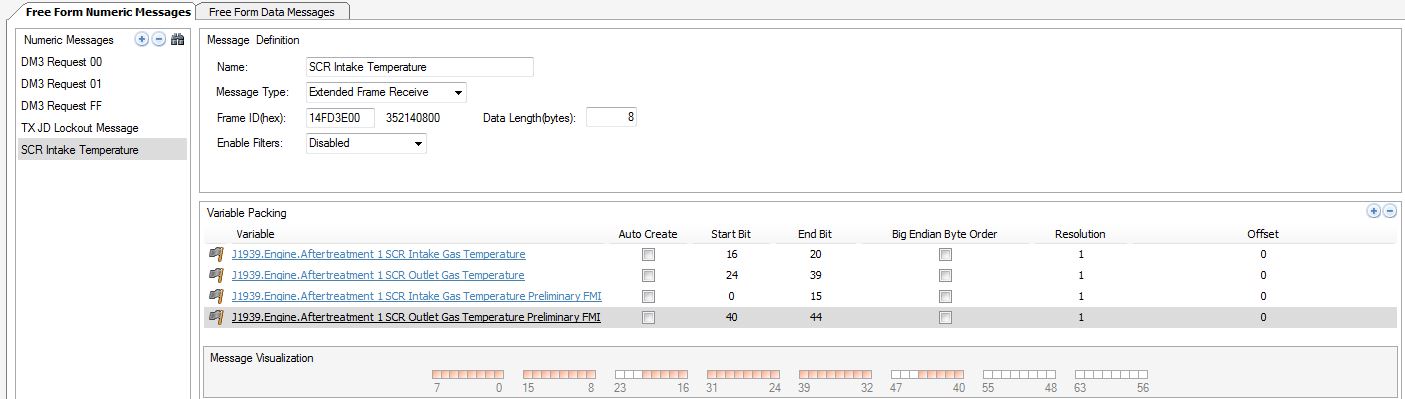
I ran into issues with the “Aftertreatment 1 SCR Catalyst Outlet gas temperature” and “Aftertreatment 1 SCR Intake gas temperature” which are both 2 bytes in length.
In the engine playback the temp goes from about 31-150C but the screen is immediately displaying the maximum value of 2000C that I set in the variable. I have tried different Data types, units of measure, tested the Big Endian Ryte Order, reduced the bit mapping to 1 byte which gives me numbers between 9-52 but then act like a data rollover.
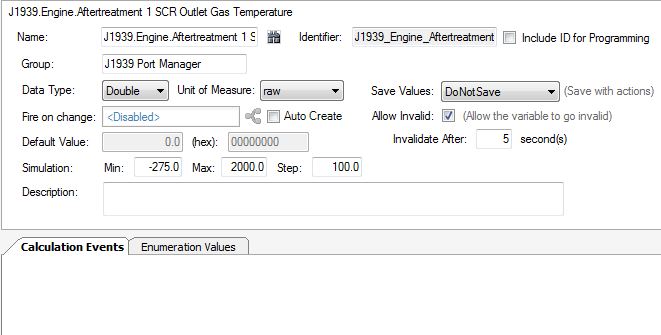
Could I still be having issues due to a resolution or offset value? I have been searching the net for any reference of the PID to see if I can answer this question but have yet to find anything.
Once again any guidance is greatly appreciated.
Regards,
Tyler
-
Problem Solved ! Turned out to be a resolution and offset issue.
I found a good list of PGN's with setting breakdowns in an excel format.
Regards,
Tyler

Please sign in to leave a comment.
Comments
4 comments