Upgrading to Power Vision Studio 2.8
Answered
Three months ago my distributor sold me Power Vision Studio 2.6 with a licsene so that I could program the PV380.R2 screens. After browsing the forums I see that version 2.6 is from many years ago and that 2.8 is the latest version with 2.9 beta on the way. Have I spent several thousand on software that is now free?
I have downloaded the 2.8 version from the old forum but it only contains the baselines for the MPC series screens. I had a Murphy rep send me a copy of the PV380.R2 baseline from a Power Vision Studio 2.8 build. The software recognizes the .MurphyConfig file on import but doesn't open anything. I checked the extensions in the about screen that lists what screens the software can handle but the PV380 isn't listed. Can anyone provide some direction on getting the full verions of Power Vision Studio 2.8 that contains the baseline for the PV380.R2? Is there a part number you can reference? Is there something during the setup process that I might have missed?
Thank-you in advance for any help.
Regards,
Tyler
-
Official comment

Hello Tyler,
Your license is good for all versions of PowerVision and automatically carries over to newer installations. Even though you cleared your registry of PowerVision-related registry items, the key is stored in a different location and was likely still preserved.
The current version of PowerVision 2.8 is 2.8.10599 and it includes support for the PV380 and PV380.r2 displays.
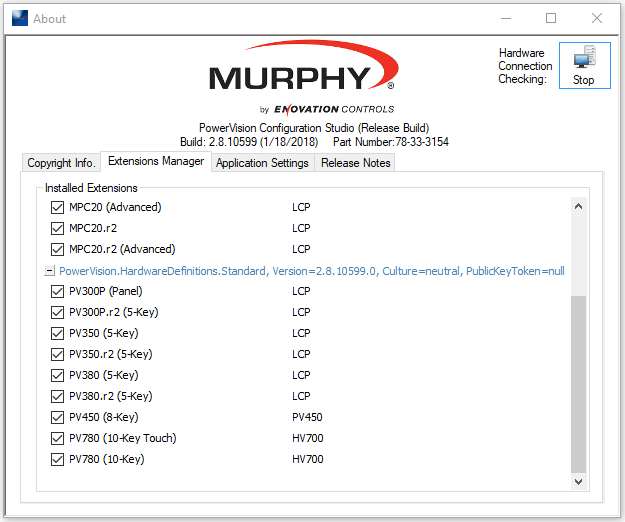
It includes Standard configurations for the PV380 and PV380.r2 displays;
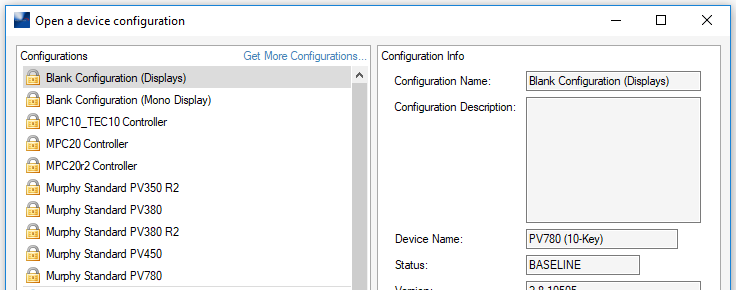
PowerVision 2.9 Patch 2 is also available. The current version is 2.9.21075. If you are having trouble to access the latest software send me a message and we will get you connected.
Thank you,
Boyce
Comment actions -
Hi Boyce,
I have have uninstalled all versions of Power Vision Studio off of my computer and cleaned the registry to make sure nothing was left behind. After a restart, I downloaded a new copy of PowerVision 2.8 build 2.8.10599 from the old forum. http://forum.fwmurphy.com/download/file.php?id=2046 Installation complete successfully and upon program launch I was not prompted for a license key. Here are screen shots detailing this issue I was describing in my prior post about this download only supporting the MPC series.
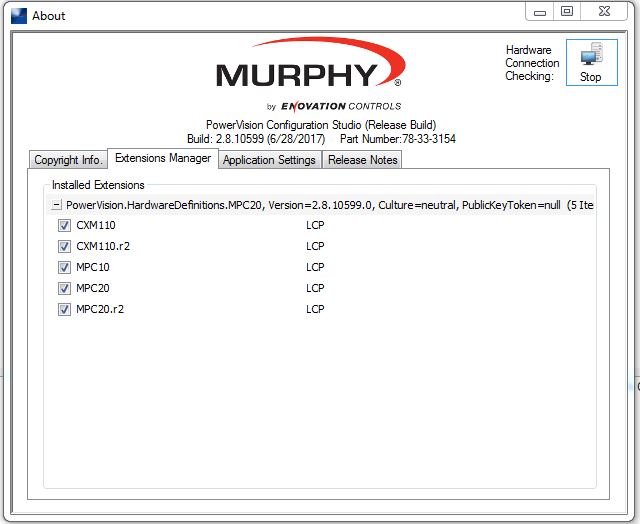
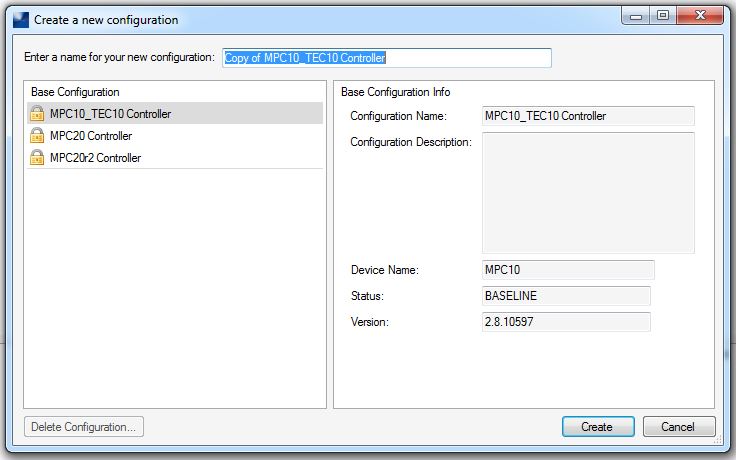
I don't see that the new forum has private messaging yet. I have a time sensitive project with a client and I really need to get this software issue sorted out. Please help....
Regards,
Tyler Robb
Post is closed for comments.
Comments
4 comments