Visible Condition Checking

Hello,
I'm wondering how I can use the 'Use raw expression' in visible condition setup to directly use data to control whether the image is visible or not. I would like to do something like if(and(x>1,x<3),visible,not visible)) . So if x>1 and x<3 then image is visible, if not in this range then not visible. Is this possible with the right expression?
Thanks
John
-
Thanks for the reply. That expression was a simple one that I could just use the normal visible condition for. I was thinking I might be able to write a more complicated expression to check more than one variable.
So
if(and(x>1,x<3,y>1,y<3),visible,not visible))
and if that expression will be ok what do I use instead of visible and not visible so it know whether to display the image or not?
Thanks for your help and I'm sorry I was so long in replying. My boss took me off this project.
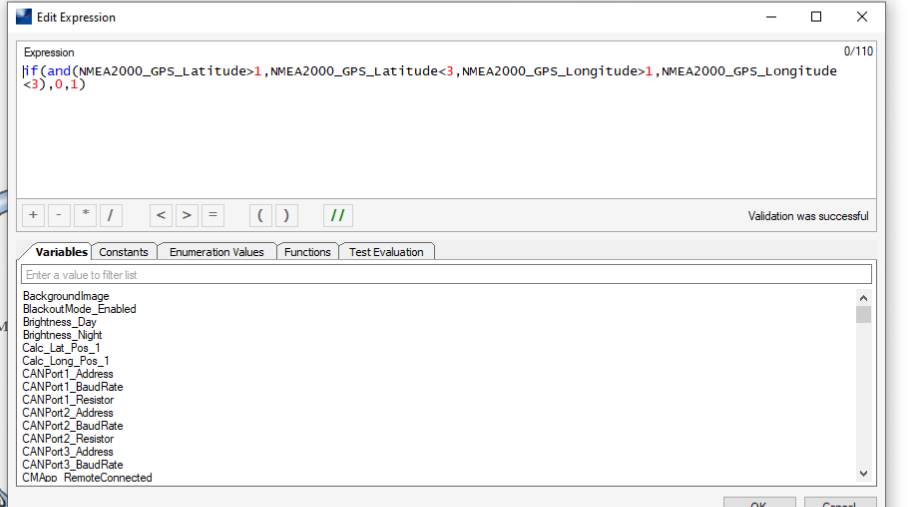
-

John, sorry for the late reply and for being so long winded, this assumes you are not using the M2 platform I explained above.
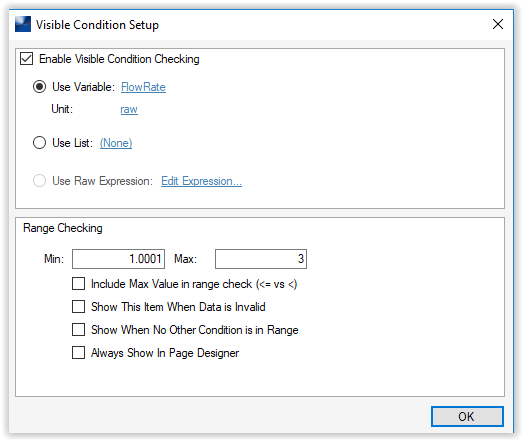
That expression you created would result in a 0 or a 1. Use that variable/value as your visible condition. In this case you would want to include the max value of 1
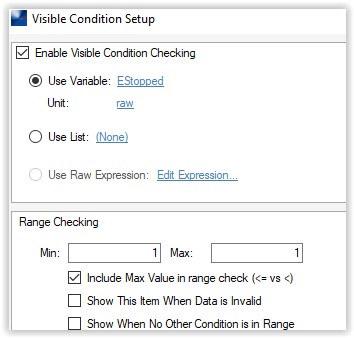
Also - your above expression would result in 0 if true and 1 if false. I recommend reversing that since your variable will default to 0 unless you specifically change it. Swap the ,0,1 to ,1,0
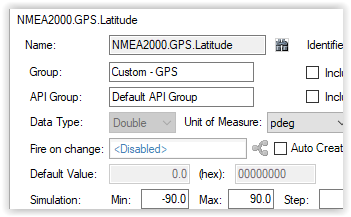
Since this expression needs to be called to be evaluated you will either need to add it to a cycling state machine, or some other way to call it (button press, etc). Or, what might be easiest is to use the variables you are evaluating anyways. "Fire on change" will fire a calculation event anytime the latitude changes. Point it to your expressions' calculation event. Point the longitude to the same calculation event.
Please sign in to leave a comment.
Comments
4 comments