MPC20-R2 Program Loading through USB

Hello Everyone,
Here I am stuck with Program loading into MPC20-R2 using USB Stick.
the following snapshot is some information I had got regarding USB downloading, but I didn't achieved the program loading.
If I am trying to load the Blank Configuration, then Yes it is getting load. But if there is many files then it is not showing the list.
After Blank Configuration load, if I am loading customized program, then still it is not loading and all three LED (Red, Amber & Green) is continue keep Flashing.
So Please guide for program loading to MPC20-R2 using USB Stick.
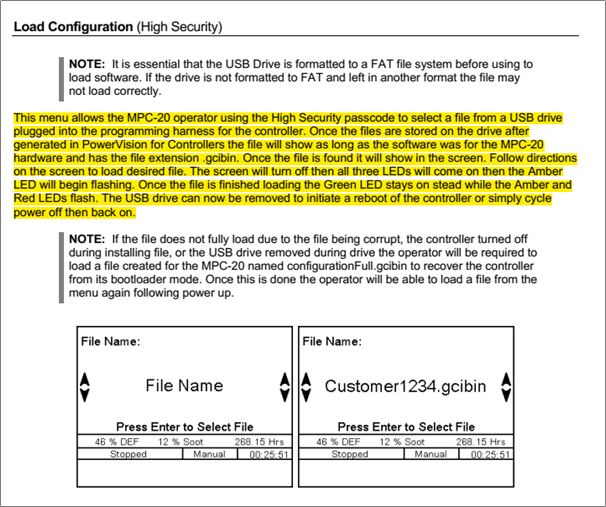
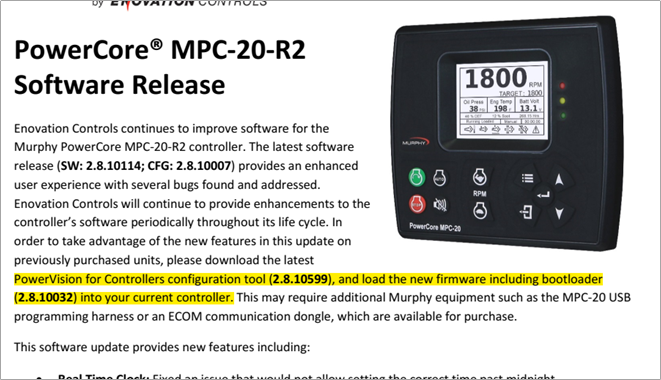
The configuration software and firmware what I am using is the updated one, as highlighted in above pic.
-

Hello Rahul,
To start with I wanted to confirm that you are using PowerVision 2.9 for Mono Displays or PowerVision for Controllers 2.9.21075. It looks like the screen shot mentions 2.8.10599 but I think the Load Configuration feature was moved to 2.9.
Also, more importantly, the files on the USB stick have to be Application Install Packages as configurationFull.gciBin files. The files can be renamed but must stay .gciBin file extension. Configuration Install Packages will not show up in the list.
The description of the color LEDs also needs to be corrected to indicate that all 3 LEDs blink during programming and then the Green LED stays on and the Red and Amber LEDs flash when the programming is complete.
We are sorry for the inconvenience and we are having the documentation corrected.
Hopefully this will resolve your problem.
Thank you,
Boyce
-
Hello Boyce,
I had installed this "PowerVision Studio for Mono Display 2.9.21075"
Now I am able to load configuration successfully.
But still have few query regarding this: -
- Multiple files for loading cannot be seen on screen of controller ‘configurationFull.gciBin’ saved with other name, with extension of .gciBin
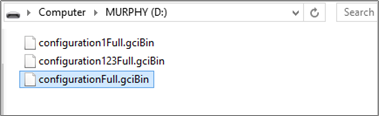
By default ‘configurationFull.gciBin’ file gets load,
but when I even change the name of this (snapshot below) , there is no loading of any files and all three LED continue keep flashing.
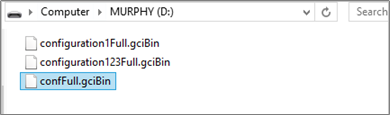
- Also Like in the previous version of PV Studio for 2.8.10599, we were having the provision for access of “MPC20.r2” and “MPC20.r2 (Advanced)”.
Is this type of option is not available in PV Studio for 2.9.21075 ??
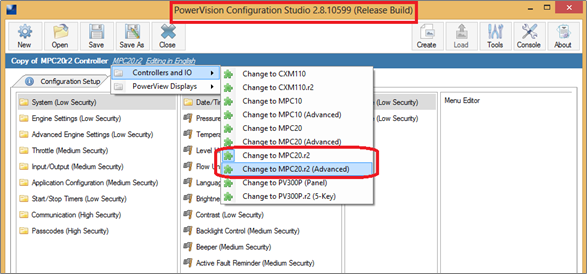
What I can access is this (snapshot below):
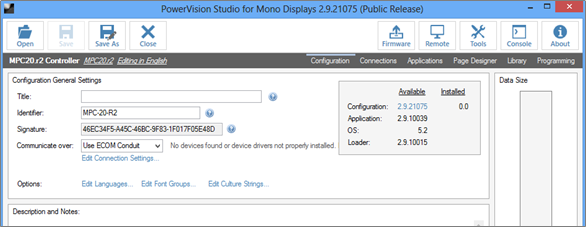
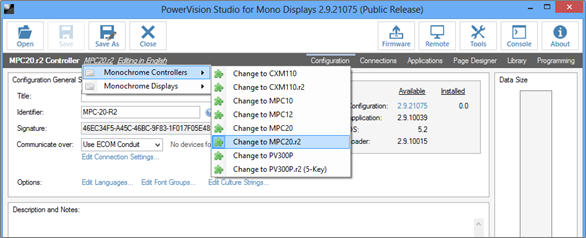
And there is no option available for Std mode selection of MPC20.r2 Config. (snapshot below):
Please clear this difficulties.
-
Hello Rahul,
It should show all of the gciBin files if they were for the same device name MPC20.r2 and are application install files. If they were for a different device name such as MPC20 or a configuration install then the file name will not show. If you are sure you are not seeing a MPC20.r2 application file you can send it to us and we will take a look at it.
The (Advanced) device names have been removed because the simplified configurations have been split out into the PowerVision for Controllers 2.9 program.
Thanks,
Boyce
Please sign in to leave a comment.
Comments
3 comments